Digital signage for shops and restaurants
Every screen in every shop,
playing what you scheduled.
Note: Our mock-ups to showcase what we offer as a business to our clients.
Let your story be more visible. Unlock your full potential.
Transform any screen or TV into engaging digital signage with our powerful, intuitive and easy-to-use platform.
Get a quoteEasy content management system
Manage screens and content, schedule by date and time, run every shop, and raise tickets for support and new features, all from one dashboard.
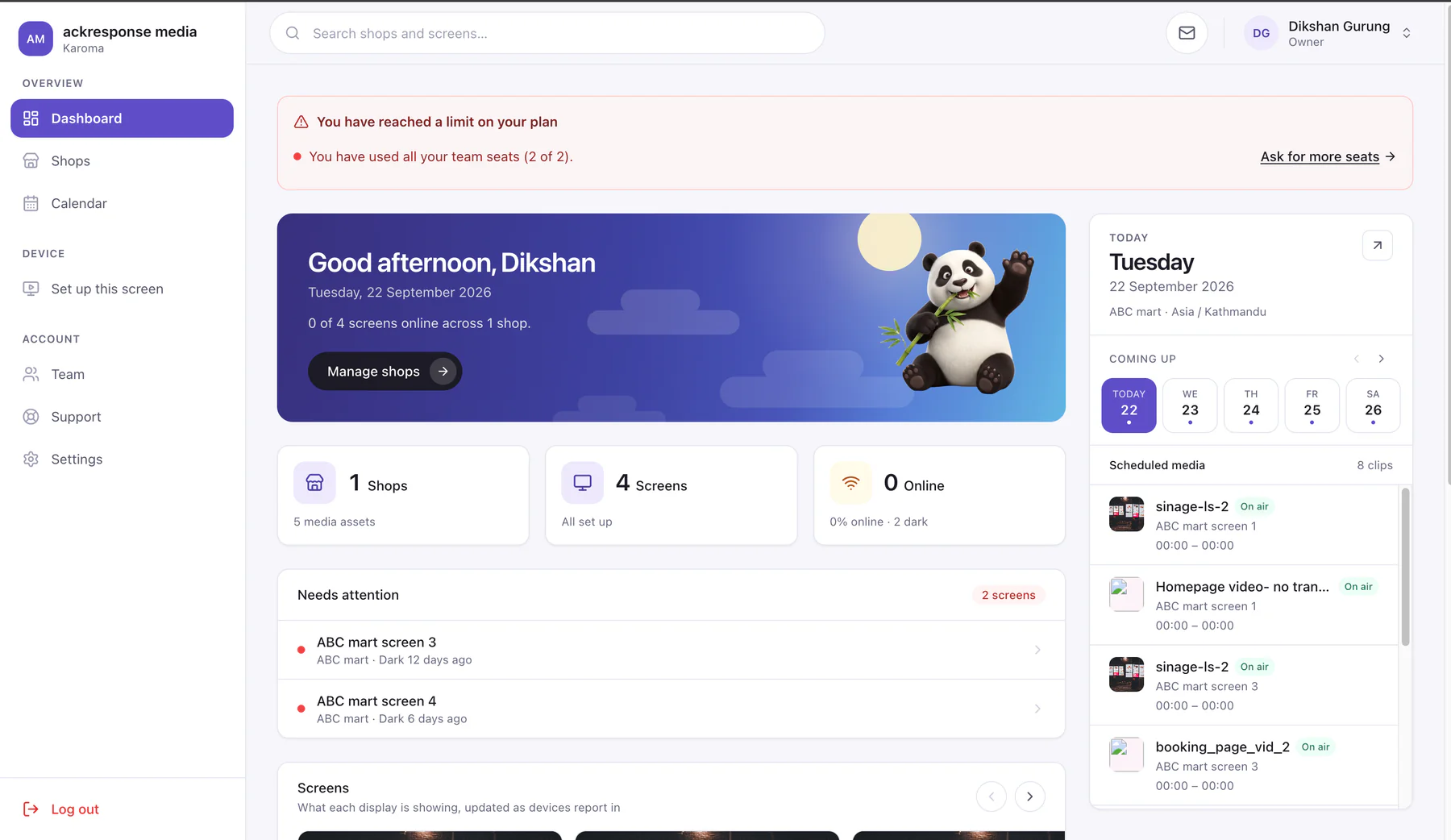
Screens

Pair in minutes
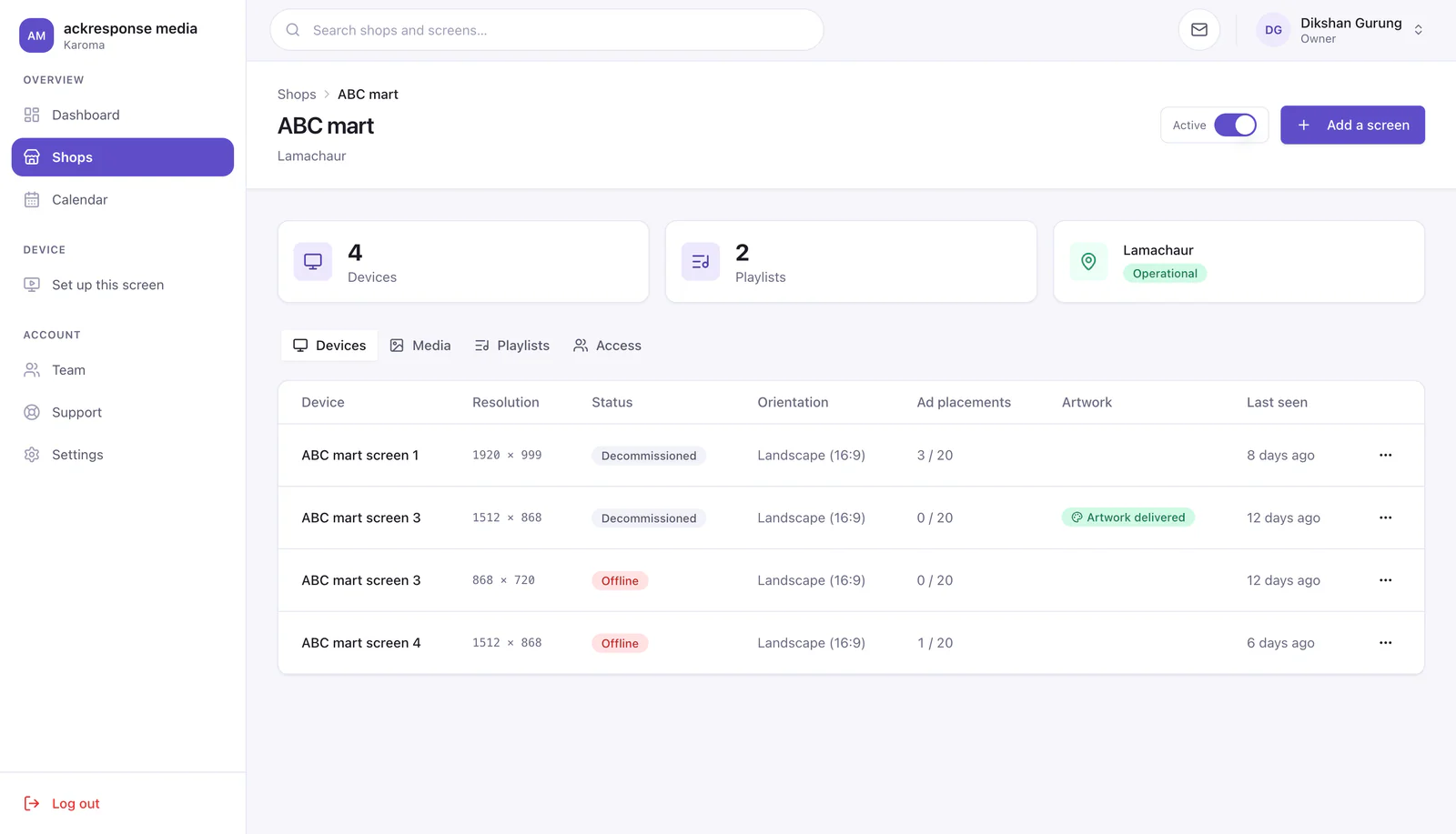
Add a screen, then type its code on the TV. Nothing to install or set up on the device.
Organised by shop
Every screen sits under the shop it hangs in and runs on that shop's own clock.
Always know what's on
Online or offline, what it's playing and when it last checked in. Reset a TV remotely.
Content

A library for every shop
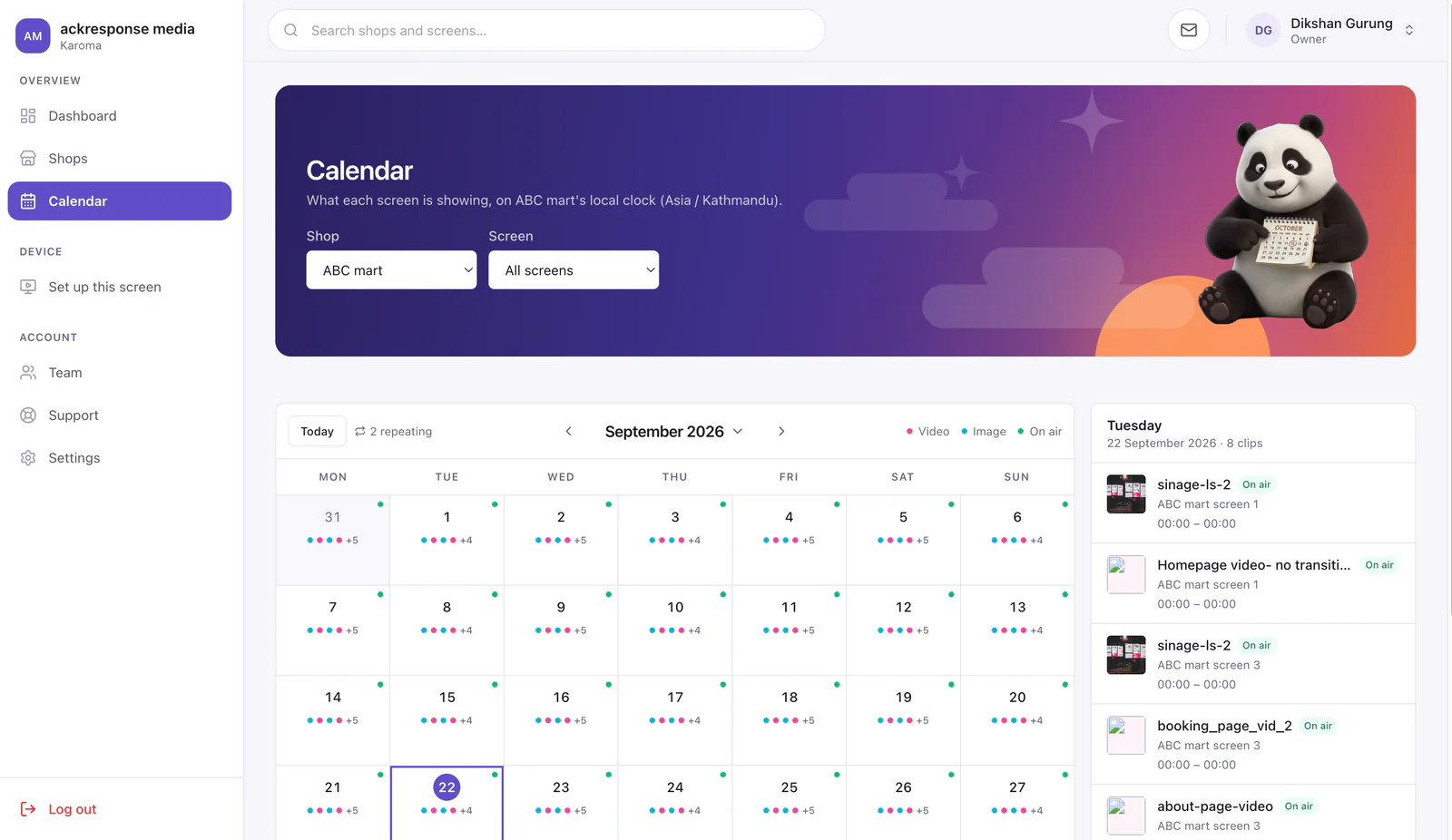
Images and video, cropped once for landscape or portrait.
Loops and playlists
Arrange the loop, trim a video, and save a loop as a playlist to reuse.
Schedules
Play a clip between two dates, on chosen weekdays, or at set times of day.
Artwork and help
Artwork on request
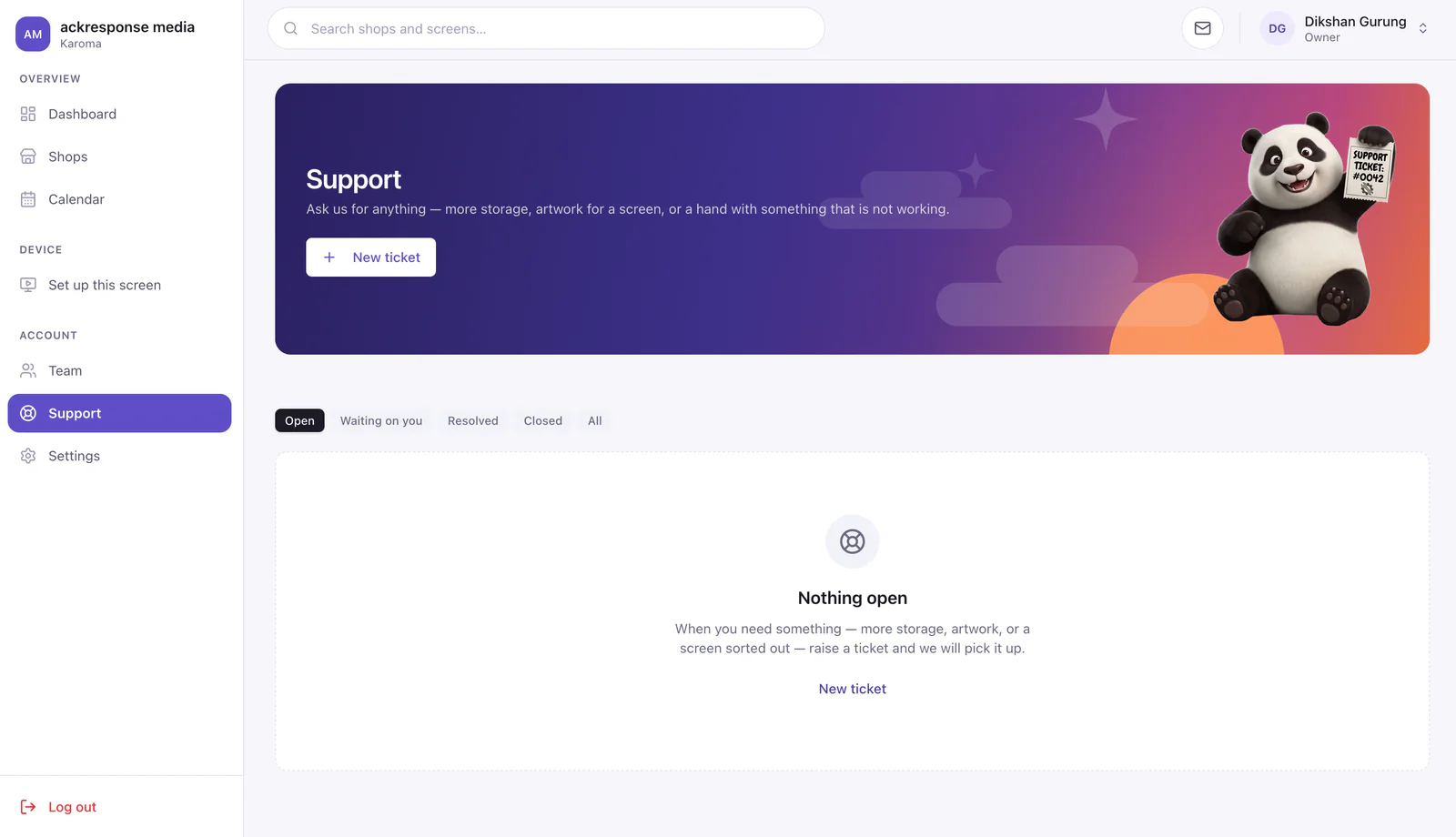
Brief new artwork from the dashboard. Plans include an artwork allowance.
Support tickets
Raise a ticket with screenshots attached and follow it through to done.
How it works
Digital signage in 3 easy steps
- 1
Pair the screen
Add the screen in your dashboard, then open its activation link on the TV or type its code into the player. Nothing to configure on the device.
- 2
Send it the artwork
Upload images or video to the shop's library, arrange the loop and press Publish. The screen switches over within seconds.
- 3
See that it's playing
Every screen reports back to your dashboard: online or offline, what it is showing and when it was last seen. No trip to the shop to check.
Questions, answered.
Screens, installation, content and cancelling. If yours is not here, ask us.
Yes. Payment is required in advance to cover the procurement of the screens. A full invoice and the relevant receipts will be provided for your records.
Once the quotation has been agreed, we will arrange a site visit to your premises to assess the installation locations. Based on your preferred screen placements and the layout of your shop, we will recommend the most suitable screen sizes for your needs.
Yes. We will arrange for our certified electricians and installation team to visit your premises and carry out the installation.
Customers are responsible for the installation costs. Once our certified electricians and installers have visited the store to carry out a pre-installation assessment, we will provide a separate quotation and invoice for the installation work.
Yes, you can. However, we will need to check its specifications and carry out a compatibility test before confirming. Most modern smart TVs are compatible.
Yes. For storytelling-based video advertising, we follow a more tailored approach that involves several stages, including consultation meetings, requirements gathering, analysis, planning and production. As each project varies in scope and complexity, we will provide a separate quotation based on the specific requirements and nature of your project. A separate invoice will also be issued for payment.
Yes, you can cancel your subscription at any time. However, if you cancel before the end of your current billing month, the remaining balance for that month will not be refunded.
In case you decide to rejoin us, we keep your media files for three days after your plan ends. After that, all stored media files are permanently deleted from our storage.
Yes. Our platform lets you combine multiple screens into a single unified display, making it easy to manage and showcase your advertising campaigns across large venues and outdoor events.